 Bytesweep
 A graphical du that also cleans up
`du -sh *` tells you the number. Bytesweep shows you the shape of the disk, then runs the right cleanup for your distribution.
14-day free trial, no card needed. Then $15 once for 3 computers. No subscription. Runs offline.
Built for the way Linux fills up
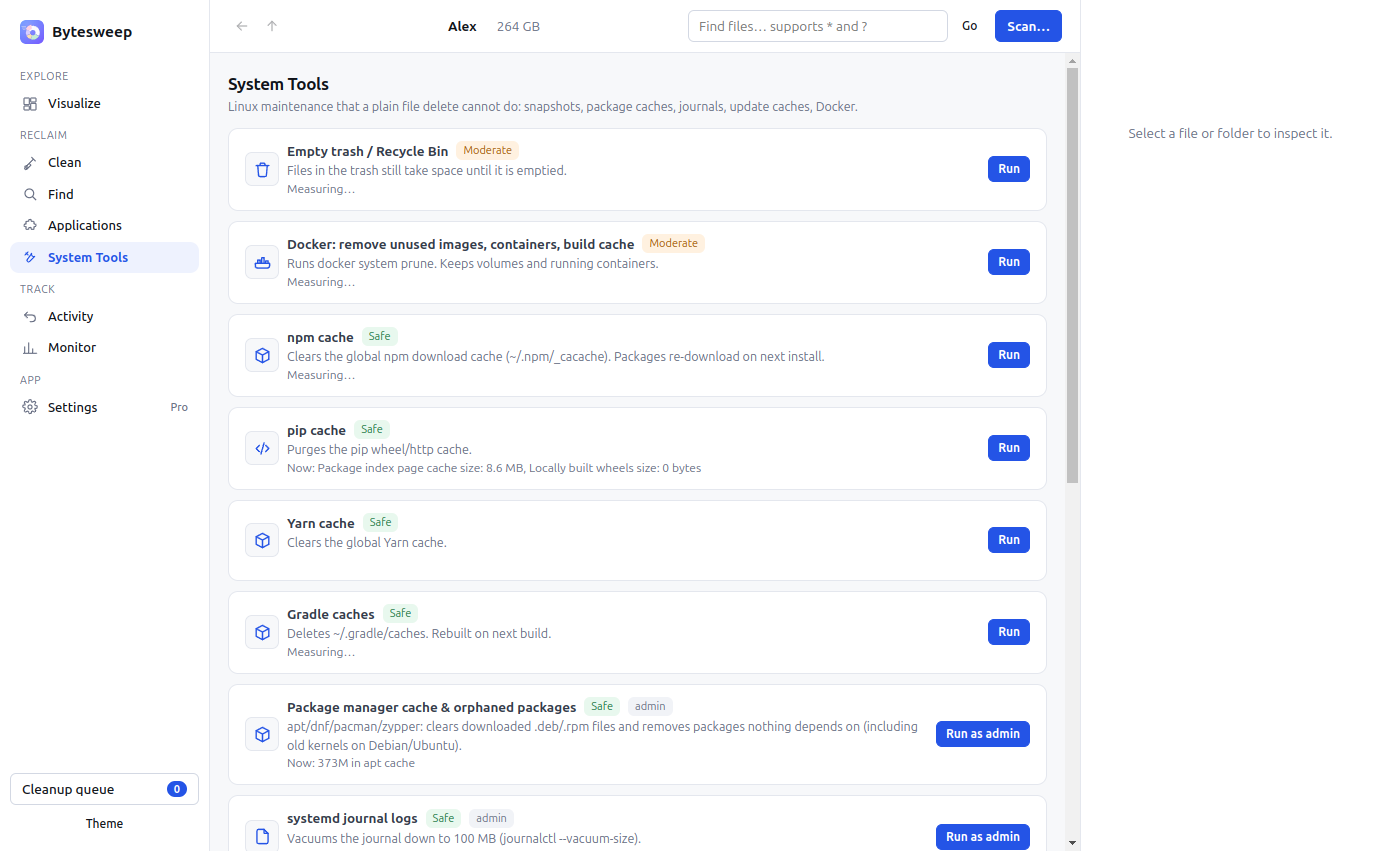
Package caches for apt, dnf, pacman and zypper, orphaned packages and old kernels, the systemd journal, core dumps in /var/crash, disabled snap revisions, unused Flatpak runtimes, thumbnails and ~/.cache, plus Docker images, containers and build cache.
The commands, without remembering the commands
Bytesweep runs journalctl --vacuum-size, apt autoremove --purge, snap remove for disabled revisions, flatpak uninstall --unused, docker system prune and fstrim, showing what each one will free before you press it. Root actions go through pkexec, so your desktop asks for the password in the usual way.
Developer projects
It finds every git repository and its node_modules, target, .venv and build folders, shows when you last touched the source, and cleans the stale ones with a reminder of the command that restores them.
Bytesweep vs BleachBit, ncdu, Baobab and Filelight
| Bytesweep | BleachBit | ncdu | Baobab | Filelight | |
|---|---|---|---|---|---|
| Price | $15 once | Free | Free | Free | Free |
| Visual views | 8 | None | Terminal | 2 | 1 sunburst |
| Cleans junk automatically | Yes | Yes | No | No | No |
| Package cache & old kernels | Yes | Partly | No | No | No |
| Snap / Flatpak leftovers | Yes | No | No | No | No |
| Duplicate + similar photo finder | Yes | No | No | No | No |
| One-click undo | Yes | No | No | No | No |
| Same app on Mac & Linux | Yes | No | Mac only | No | No |
Questions
Which distributions are supported?
Anything that runs the AppImage, plus a .deb for Debian and Ubuntu. Cleanup adapts to apt, dnf, pacman or zypper automatically.
Does it need root?
Only for system-level actions like vacuuming the journal or clearing package caches, and it asks through pkexec at that moment. Scanning and cleaning your home folder need no privileges.
Can it clean old kernels?
Yes, through the package manager cleanup, which runs apt autoremove --purge on Debian and Ubuntu. It also lists installed kernels so you can see what is there.
Or start the free 14-day trial first. Related: Mac, Linux, duplicates.